NinjaTrader vs TradingView for Futures Trading: 2025 Comparison
Choosing between NinjaTrader and TradingView for futures trading? We compare features, costs, and use cases to help you pick the right platform.

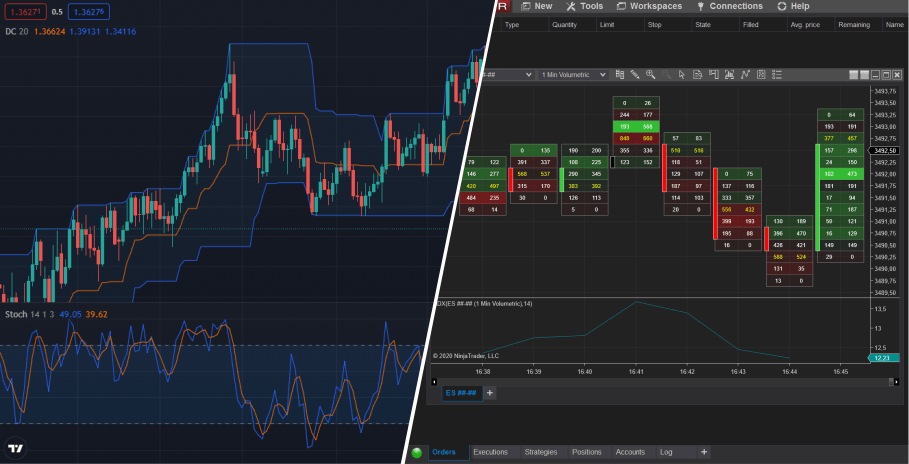
NinjaTrader and TradingView are the two most popular platforms for futures traders—but they serve different purposes and different traders.
In this guide, we'll break down the key differences to help you choose the right platform for your trading style.
Quick Comparison
| Feature | NinjaTrader | TradingView |
|---|---|---|
| Platform Type | Desktop application | Web-based (+ desktop app) |
| Best For | Active traders, automation | Analysis, charting, mobile |
| Order Flow | Excellent (native + add-ons) | Limited |
| Automation | Full strategy development | Pine Script (limited) |
| Cost | Free for charting, paid for advanced | Free tier, paid for real-time |
| Ease of Use | Steeper learning curve | Beginner-friendly |
| Mobile | No | Yes |
| Community | Active, focused | Massive, diverse |
NinjaTrader: The Professional's Choice
NinjaTrader is a desktop-first trading platform designed for serious futures traders who need advanced features, order flow analysis, and automation capabilities.
NinjaTrader Strengths
Advanced Order Flow
NinjaTrader's native order flow tools include:
- Footprint charts
- Volume profile
- Time & sales
- Level II data
Plus a massive ecosystem of third-party order flow add-ons.
Strategy Development & Automation
Write custom strategies in C# with:
- Full market access
- Complex order types
- Backtesting engine
- Optimization tools
- Real-time automated execution
Deep Market Data Integration
- Connects to Rithmic, CQG, Continuum
- Sub-second data feeds
- Multiple data connections
- Historical data access
Execution Speed
- Local application = faster execution
- Direct server connections
- ATM (Advanced Trade Management) for automated stops
NinjaTrader Weaknesses
Steeper Learning Curve
NinjaTrader isn't beginner-friendly. Expect to spend time learning:
- Chart customization
- Indicator configuration
- Order entry methods
- Strategy development
Windows Only
No native Mac support (though it runs on Parallels/Boot Camp).
No Mobile Trading
Desktop only—can't trade or monitor from your phone.
Indicator Costs
Many professional indicators are paid add-ons, ranging from $100-$500+.
TradingView: The Accessible Powerhouse
TradingView is a web-based platform that prioritizes ease of use, beautiful charts, and community features while still offering serious analytical tools.
TradingView Strengths
Accessibility
- Works in any browser
- Syncs across devices
- Mobile app available
- No installation needed
Beautiful, Intuitive Charts
TradingView's charting is arguably the best-looking in the industry:
- Clean interface
- Easy annotation tools
- Quick timeframe switching
- Multi-chart layouts
Community & Social Features
- Millions of users sharing ideas
- Published scripts and indicators
- Educational content
- Chat rooms
Multi-Asset Coverage
- Stocks, forex, crypto, futures all in one
- Global market access
- Free delayed data for most markets
Pine Script
Simple programming language for custom indicators:
- Easier than C#
- Large script library
- Good documentation
TradingView Weaknesses
Limited Order Flow
No native footprint charts or professional order flow analysis.
Strategy Automation
Pine Script strategies can signal and alert, but:
- No native auto-execution for futures
- Requires third-party bridges
- Limited complexity
Real-Time Data Costs
Free version has delayed data. Real-time futures data requires:
- TradingView subscription ($15-60/month)
- Exchange data fees (CME: ~$4/month additional)
Web-Based Limitations
- Dependent on internet connection
- Browser can be resource-heavy
- Potential latency vs desktop apps
Feature Deep Dive
Charting
NinjaTrader:
- Highly customizable
- Unlimited charts
- Multiple monitor support
- Steeper learning curve
TradingView:
- Beautiful out of the box
- Easy to use
- Chart limits on free tier
- Excellent multi-timeframe
Winner: TradingView for ease of use, NinjaTrader for customization
Order Flow
NinjaTrader:
- Native footprint charts
- Volume profile built-in
- Third-party add-ons available
- Professional-grade tools
TradingView:
- Basic volume tools
- No native footprint
- Limited DOM
- Third-party workarounds
Winner: NinjaTrader by far
Automation
NinjaTrader:
- Full C# strategy development
- Comprehensive backtesting
- Real-time auto-execution
- Professional-grade
TradingView:
- Pine Script for indicators/alerts
- No native auto-execution
- Third-party bridges possible
- Simpler learning curve
Winner: NinjaTrader
Cost
NinjaTrader:
- Free for charting/simulation
- $60/month for lease
- $1,099 one-time purchase
- Additional costs for data, add-ons
TradingView:
- Free tier available
- Pro: $15/month
- Pro+: $30/month
- Premium: $60/month
- Plus data feed costs
Winner: Depends on usage. TradingView cheaper for basic use, NinjaTrader better value for active traders.
Mobile
NinjaTrader:
- No mobile app
- Desktop only
- Can use remote desktop as workaround
TradingView:
- Full-featured mobile app
- Real-time sync with desktop
- Trade from anywhere
Winner: TradingView
Use Case Recommendations
Use NinjaTrader If You:
- Trade futures full-time or semi-professionally
- Need order flow analysis (footprint, delta, etc.)
- Want to automate strategies
- Trade from a dedicated workstation
- Don't need mobile access
- Want maximum customization
Use TradingView If You:
- Primarily analyze and chart
- Trade multiple asset classes
- Need mobile access
- Prefer simplicity over customization
- Are newer to trading
- Want community features
Use Both If You:
- Analyze on TradingView, execute on NinjaTrader
- Want TradingView's charting with NinjaTrader's execution
- Need mobile monitoring but desktop execution
The Hybrid Approach
Many professional traders use both platforms:
TradingView for:
- Big-picture analysis
- Drawing trend lines and levels
- Multi-timeframe overview
- Mobile monitoring
- Idea generation from community
NinjaTrader for:
- Order flow execution
- Precise entries
- Automated trade management
- Strategy backtesting
- Professional indicators
How to Connect Them
- Analyze and plan trades on TradingView
- Mark key levels and setups
- Switch to NinjaTrader for execution
- Use NinjaTrader's ATM for trade management
- Monitor positions on TradingView mobile
- Most prop firms support both platforms:
- Apex Trader Funding
- Take Profit Trader
- My Funded Futures
- Elite Trader Funding
- TradeDay
- Take Profit Trader (via Tradovate)
- My Funded Futures
- Topstep (limited)
- Most Tradovate-connected firms
- Note: NinjaTrader typically offers more features with prop firm accounts due to direct Rithmic/CQG connections.
- Advantages:
- Professional-grade tools
- Order flow specialists
- Full platform integration
- C# flexibility
- Where to Find:
- NinjaTrader Ecosystem
- Third-party developers
- Trinity Trading — Professional indicators for futures traders
- Advantages:
- Huge free library
- Easy to browse and apply
- Pine Script customization
- Community sharing
- Limitations:
- No order flow
- Pine Script less powerful than C#
- Quality varies widely
- Do I need order flow? - Yes → NinjaTrader - No → Either works
- Do I want to automate? - Yes → NinjaTrader - Alerts only → TradingView
- Do I need mobile? - Yes → TradingView (or hybrid) - No → NinjaTrader
- What's my budget? - Limited → TradingView free tier - Flexible → NinjaTrader lease or purchase
- What's my experience level? - Beginner → TradingView - Intermediate+ → Either - Professional → NinjaTrader
- If you choose NinjaTrader, here's how to get started:
- Download the free version from ninjatrader.com
- Connect data — Start with Kinetick (free with NinjaTrader) or your prop firm's connection
- Learn the basics — Chart setup, order entry, workspace management
- Add indicators — Start simple, add order flow tools as you learn
- Paper trade — Practice before going live
- For professional NinjaTrader trading, consider:
- Volume Profile — Essential for understanding price levels
- Order Flow/Footprint — See buyer/seller activity
- ATR-based tools — For stop placement and position sizing
- Trade management — Automate stops and targets
- → Trinity Trading offers a complete indicator suite designed for futures traders on NinjaTrader.
- NinjaTrader = Professional platform for serious futures traders who need order flow, automation, and maximum customization
- TradingView = Accessible platform great for analysis, charting, and multi-asset traders who value ease of use and mobility
- Hybrid approach works well — Analyze on TradingView, execute on NinjaTrader
- For prop firm trading, NinjaTrader typically offers more features due to direct broker connections
- Neither is "better" — Choose based on your specific needs and trading style
- The best platform is the one that fits your workflow and helps you trade better. For many futures traders, that means NinjaTrader—or a combination of both.
- Ready to upgrade your NinjaTrader setup? Trinity Trading offers professional indicators designed specifically for futures day traders.
- Trading involves significant risk. Platform choice doesn't guarantee profitability.
- For prop firm trading, NinjaTrader typically offers more features due to direct broker connections
- Hybrid approach works well — Analyze on TradingView, execute on NinjaTrader
- TradingView = Accessible platform great for analysis, charting, and multi-asset traders who value ease of use and mobility
- NinjaTrader = Professional platform for serious futures traders who need order flow, automation, and maximum customization
- What's my budget? - Limited → TradingView free tier - Flexible → NinjaTrader lease or purchase
- Do I need mobile? - Yes → TradingView (or hybrid) - No → NinjaTrader
- Do I want to automate? - Yes → NinjaTrader - Alerts only → TradingView